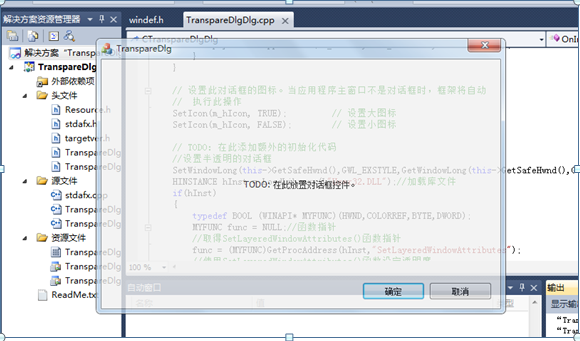
1.创建一个基于对话框的应用程序;
2.打开CTranspareDlgDlg类的OnInitDialog()函数:
添加代码
BOOL CTranspareDlgDlg::OnInitDialog()
{
	CDialogEx::OnInitDialog();
	.
	.
	.
	// TODO: 在此添加额外的初始化代码
	//设置半透明的对话框
	SetWindowLong(this->GetSafeHwnd(),GWL_EXSTYLE,GetWindowLong(this->GetSafeHwnd(),GWL_EXSTYLE)^0x80000);
	HINSTANCE hInst = LoadLibrary(L"User32.DLL");//加载库文件
	if(hInst)
	{
		typedef BOOL (WINAPI* MYFUNC)(HWND,COLORREF,BYTE,DWORD);
		MYFUNC func = NULL;       //函数指针
		//取得SetLayeredWindowAttributes()函数指针
		func = (MYFUNC)GetProcAddress(hInst,"SetLayeredWindowAttributes");
		//使用SetLayeredWindowAttributes()函数设定透明度
		if(func)func(this->GetSafeHwnd(),RGB(0,0,0),200,0x2);
		FreeLibrary(hInst);
	}
	return TRUE;     // 除非将焦点设置到控件,否则返回 TRUE
}
程序运行结果: